

What are Checklists?
Checklists are essentially a blueprint used to ensure technicians follow standardized procedures during maintenance tasks. They outline a specific set of questions or steps that need to be completed, promoting consistency and quality in maintenance work. ERPLite CMMS integrates a powerful checklist builder to create customized checklists for various needs.The Checklist Builder
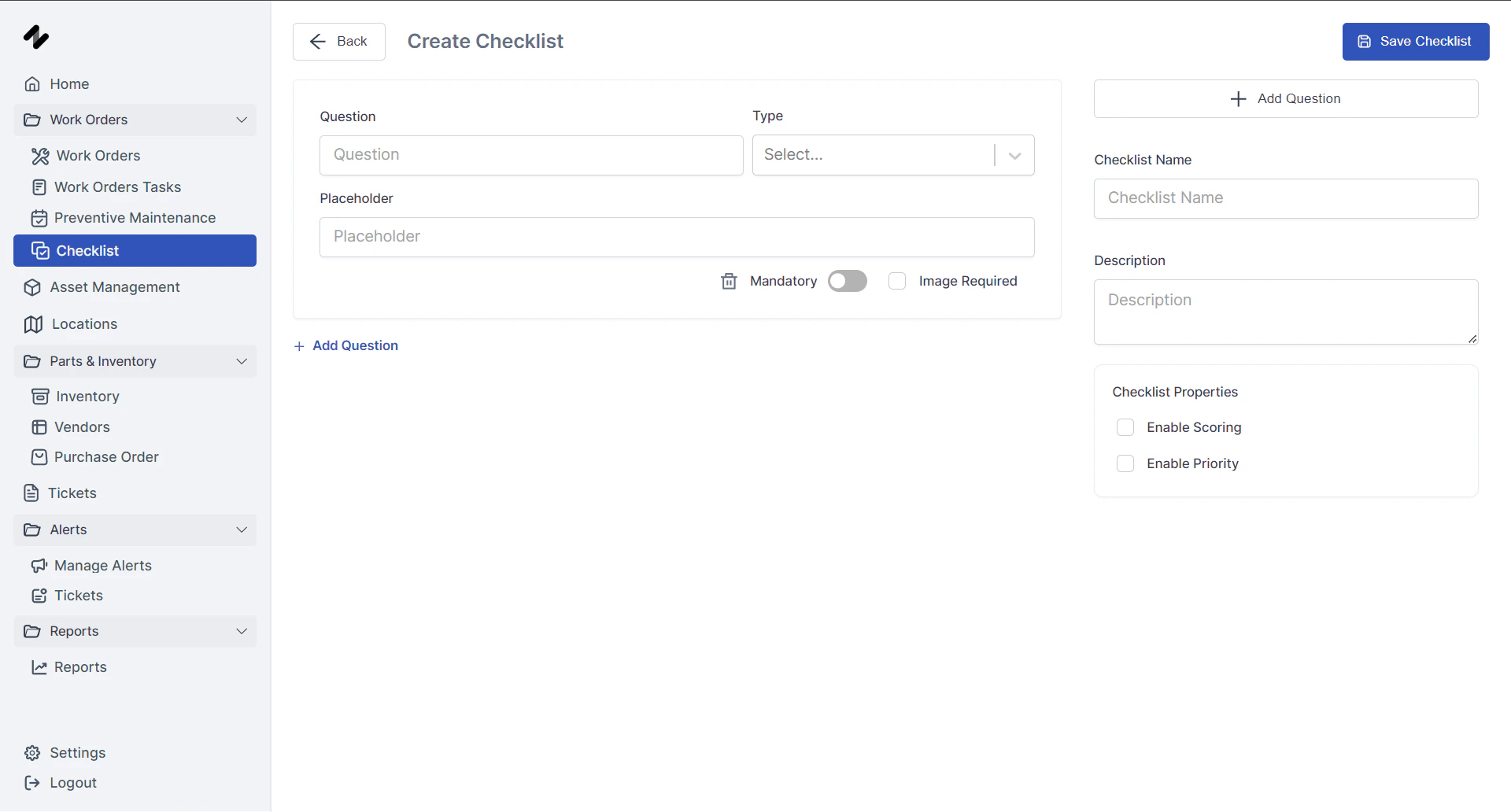
- Navigate to the “Checklists” section.
- Click “Create New Checklist.”
- Provide a descriptive name for your checklist.
- Start building your checklist by adding questions.
- Field Types: Choose the most appropriate field type for each question from the following options:
- Text: Allows technicians to enter free-form text responses.
- Number: For capturing numerical data (e.g., measurements, readings).
- Single Select: Presents a list of options for technicians to choose one answer.
- Multi Select: Allows technicians to select multiple options from a list.
- File: Enables technicians to upload relevant files (e.g., photos, reports).
- Signature: Captures technician signatures for electronic sign-off.
- Date/Time: Records the date and time when a step is completed.
- Boolean: For Yes/No questions.